Mark exactly what you mean
Capture the screen, point at the pixel, and hand it off clean. A quiet Mac tool for the people who give visual feedback all day.
Capture anything. Or everything
A slice of one window or the entire desktop — pull a frame around it and cmmnt takes it from there.
Two ways in
The floating button hovers wherever you work; the menu bar waits upstairs. Either way, capture is one click away — with shortcuts for the keyboard-inclined.
Also built for motion, not just moments
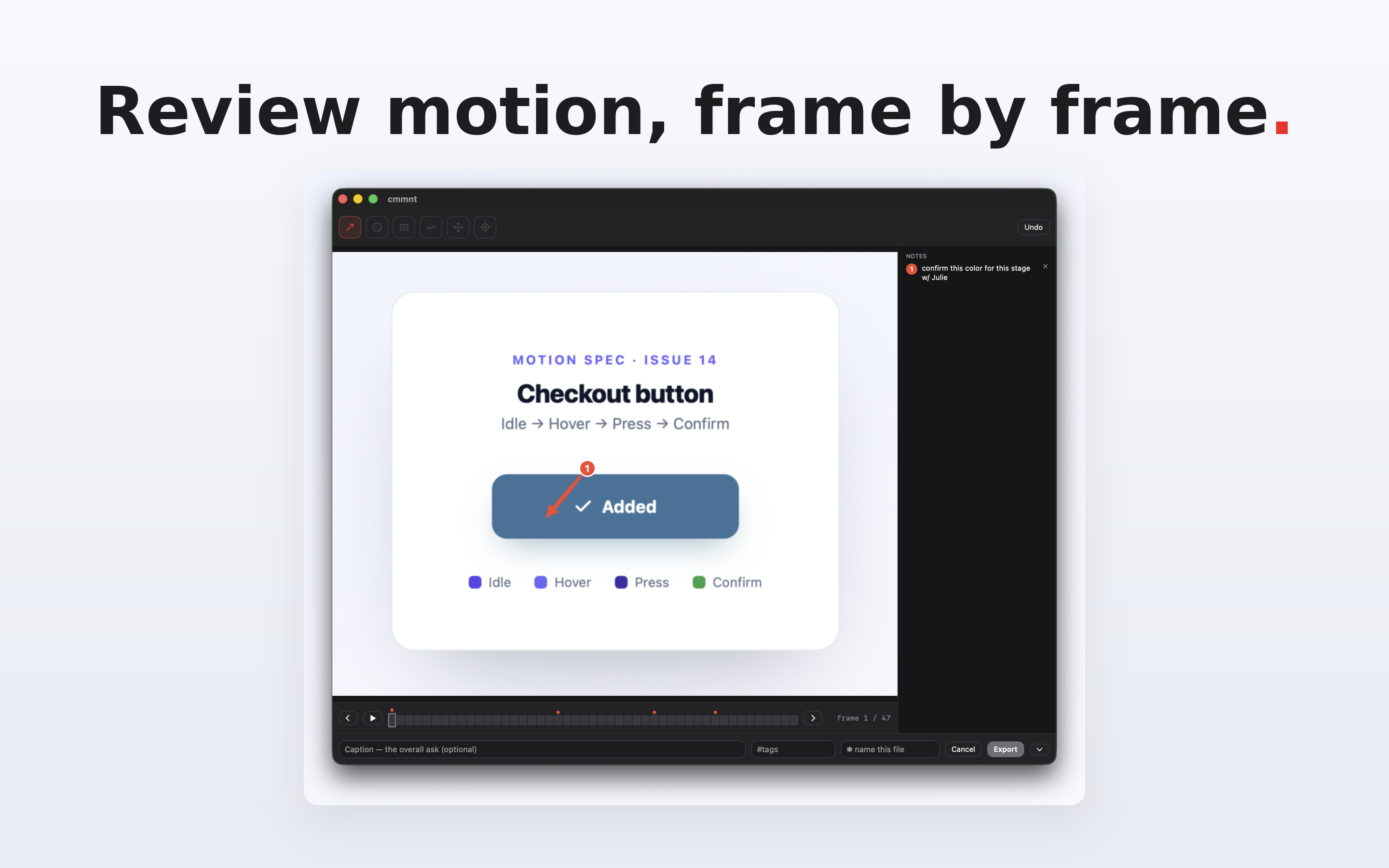
Most tools freeze one frame. cmmnt records a few seconds, lets you step it frame by frame, mark the moments that matter, and export them as one clean set of numbered stages.
One capture. Three ways out
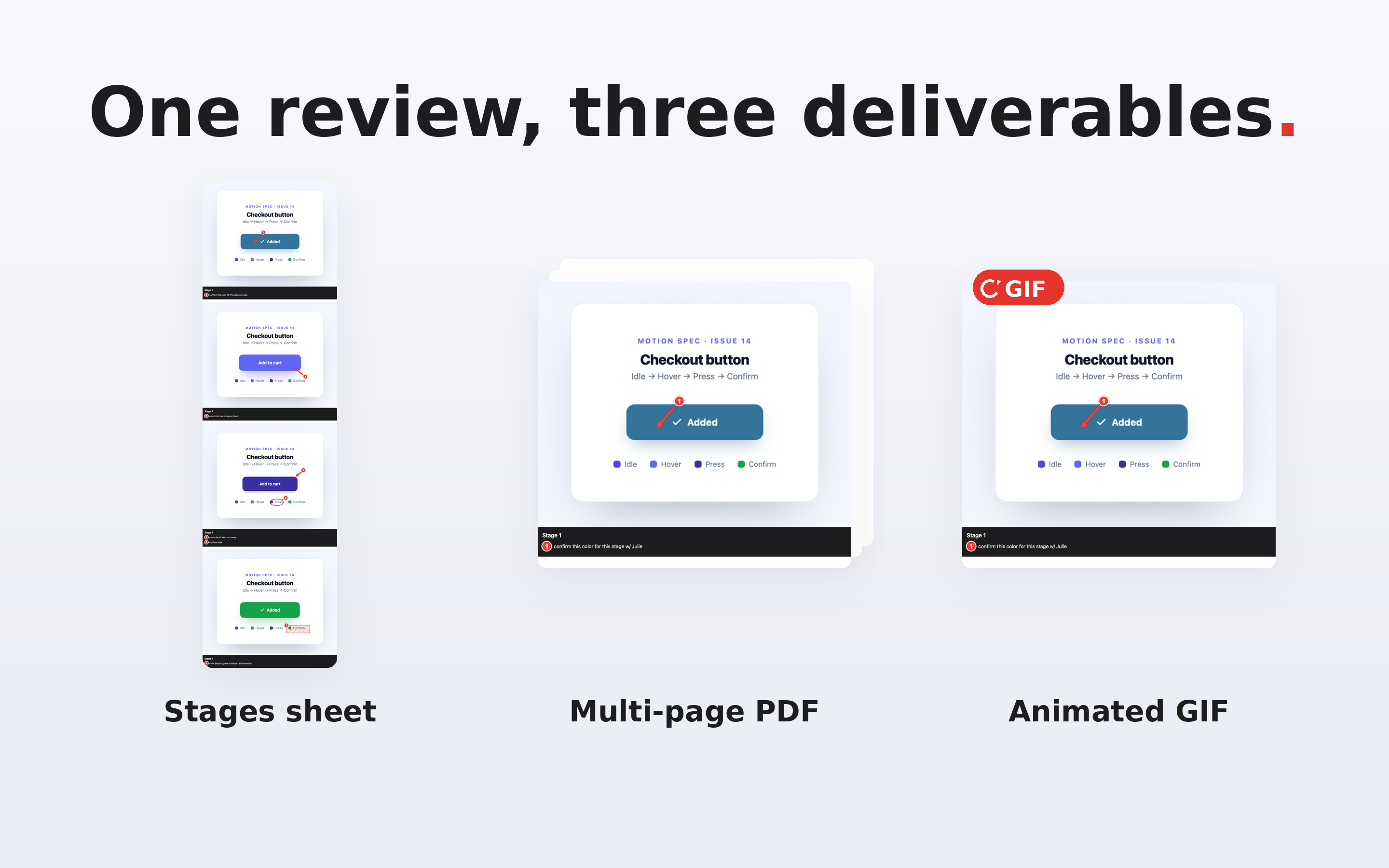
A numbered stages sheet, a multi-page PDF, or an animated GIF — whatever the thread needs. Finder tags and a proper filename on the way out.
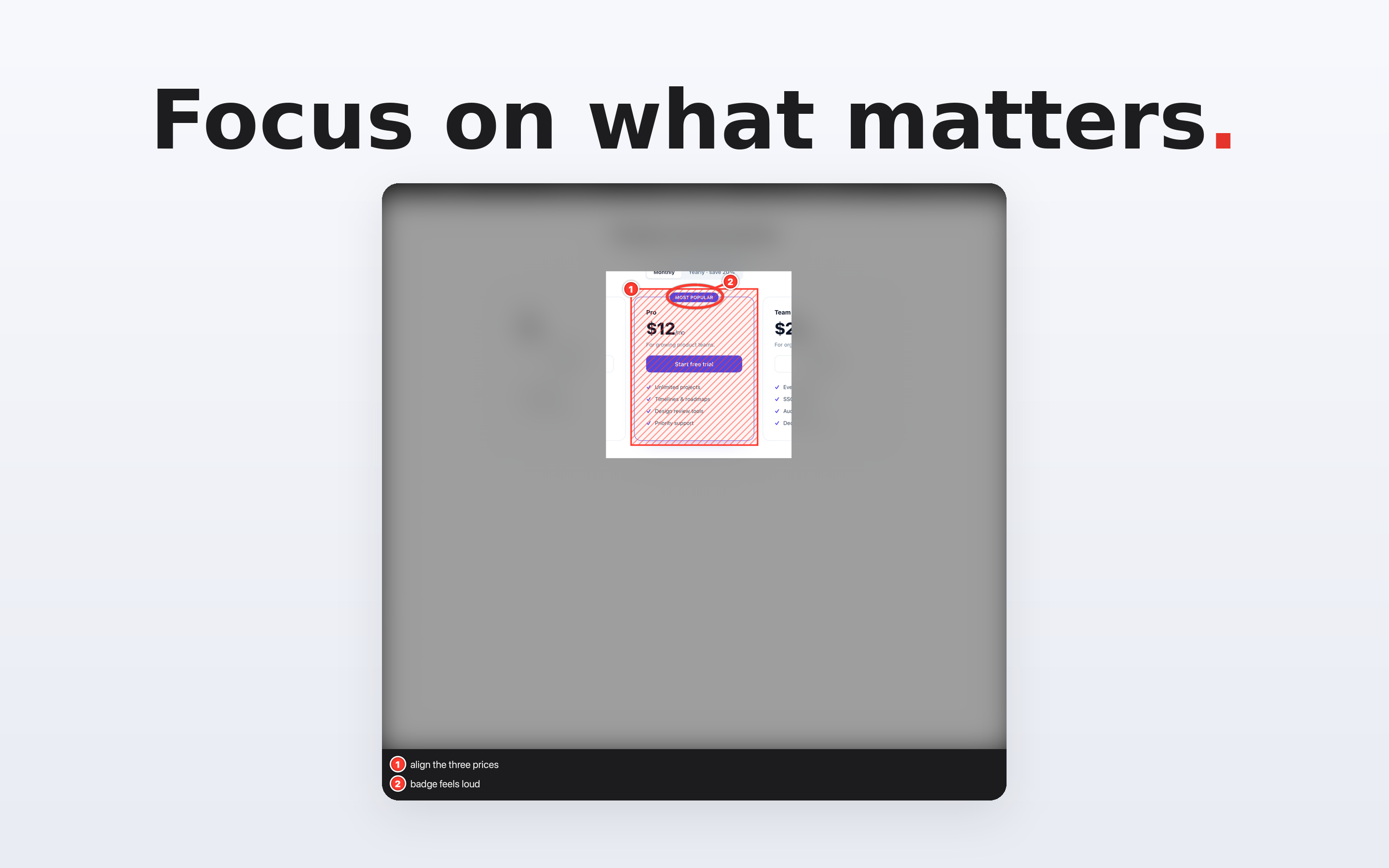
Re-focus on what matters
Already took the shot? Pull a tighter frame inside it — everything outside dims, and your feedback narrows to exactly the detail you mean.
Mark it like you mean it
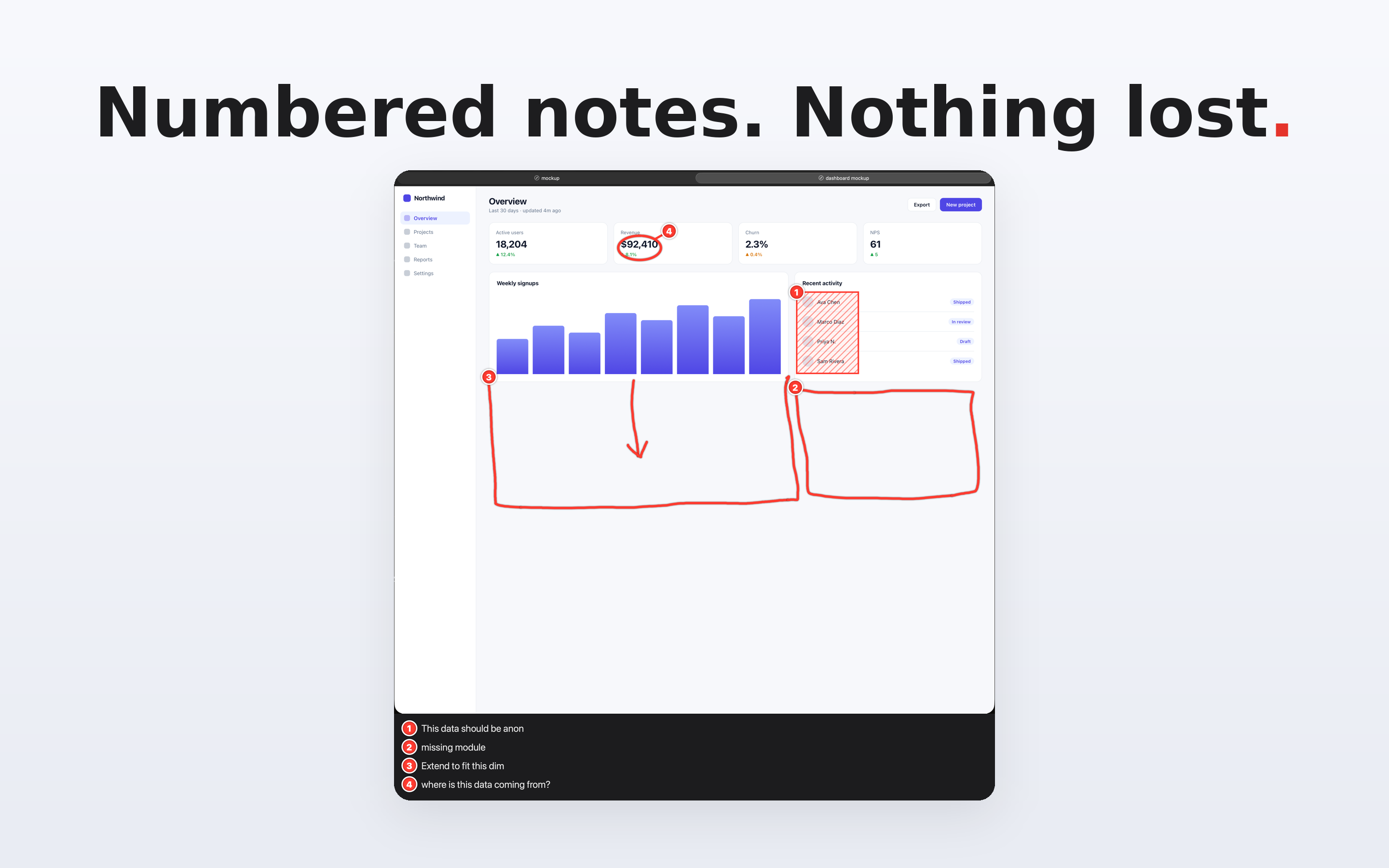
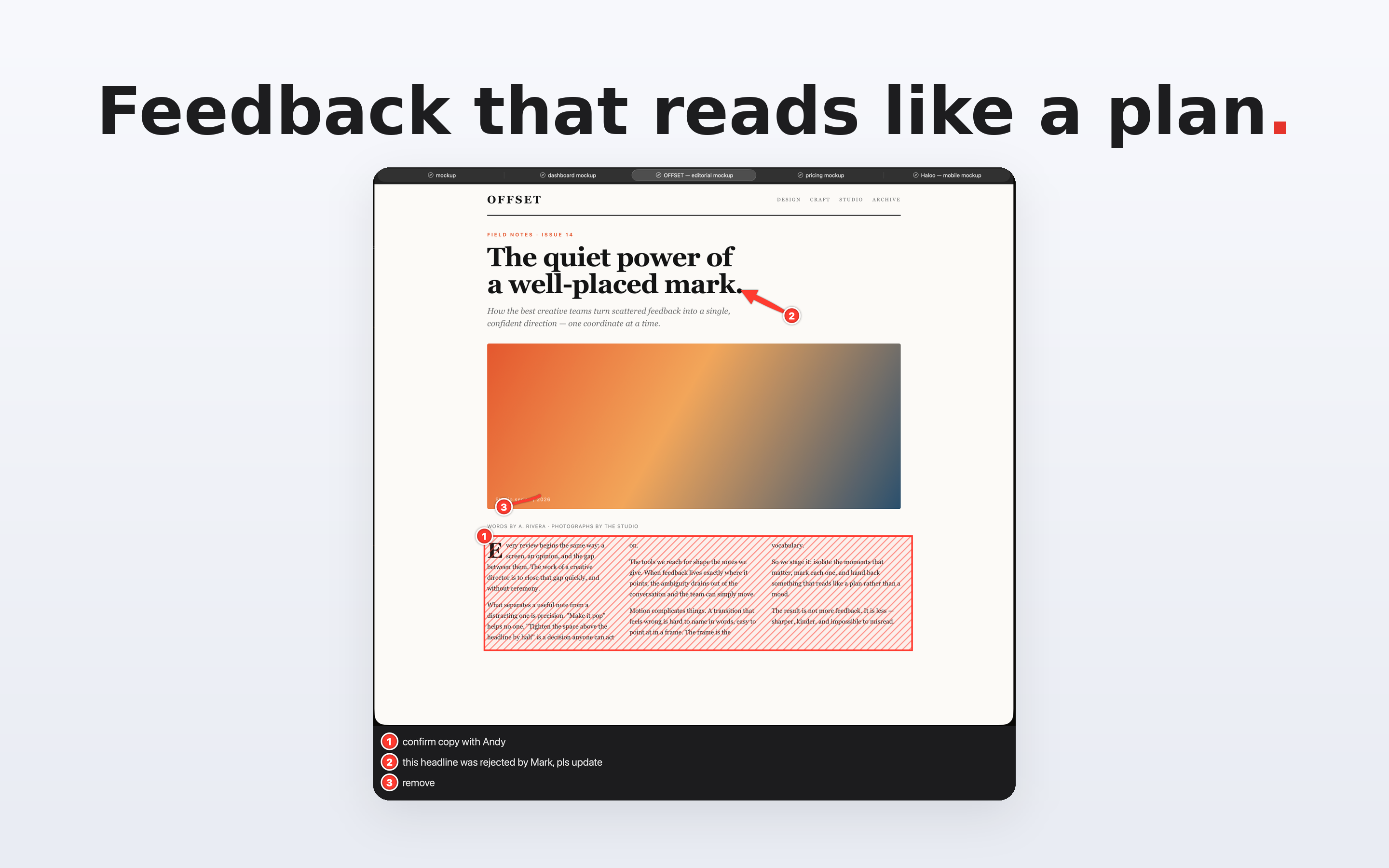
One hand of pen strokes, one sacred red ink. Precise where it counts, human where it helps.
The rest of the pitch


Yours. Only yours
cmmnt is old-school on purpose. It runs entirely on your Mac — nothing to sign into, nothing phoning home.
No analytics, no telemetry, no network. Verified in the code, not just promised.
One fair price. No subscription, no upsell, no dark patterns.
Bug fixes and macOS-compatibility updates, so the version you bought keeps working.
The developer does not collect any data from this app.
Where cmmnt fits
One price. No surprises
Buy once. No subscription, no accounts, no tracking.
cmmnt Pro — coming soon. The same marks, plus a document that travels back and forth and remembers who asked for what and who addressed it. One-time purchase. No subscription, ever.